
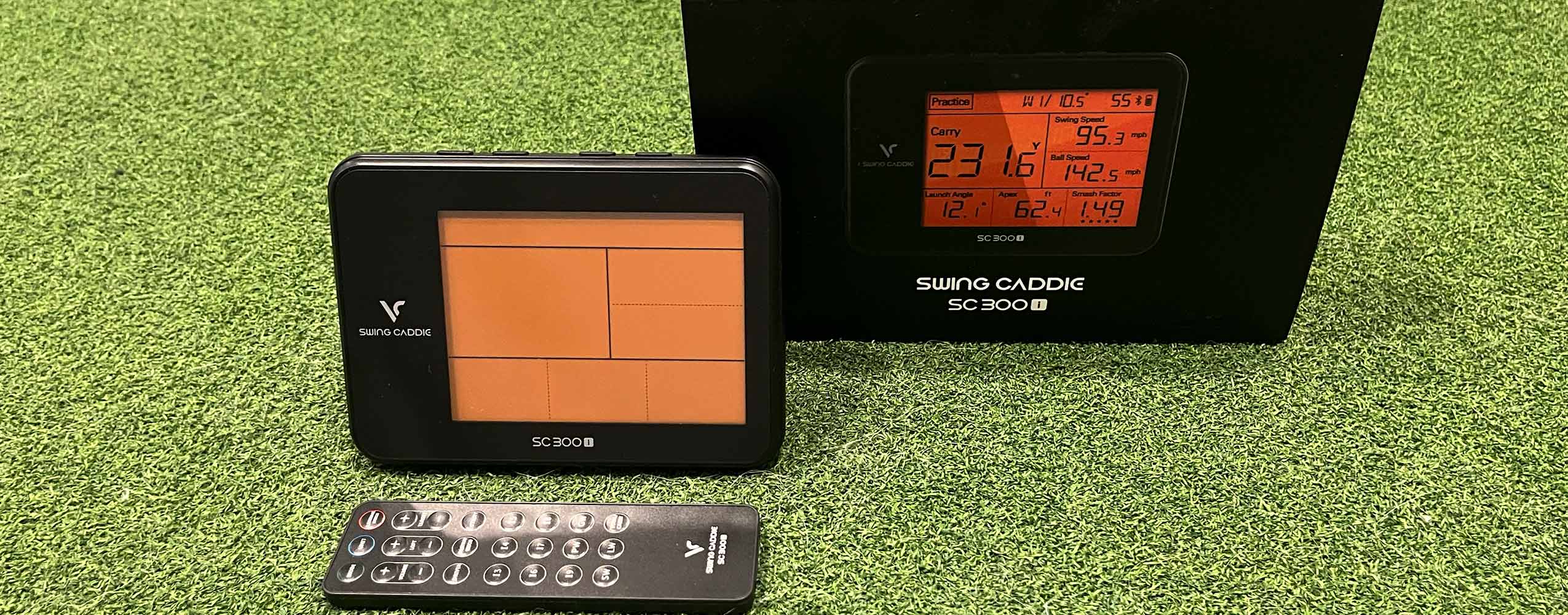
My one liner for this
The Voice Caddie SC 300i is surprisingly accurate for distance measuring outdoors, but it’s a mixed bag indoors and has its share of quirks.
I’ll be honest, after my first test with this, which was indoors, I wasn’t that impressed.
The next day I planned to test it outdoors after work. So right after logging off for the day, I tried to setup the MySwingCaddie companion phone app and connect it. I had some difficulty there, which was partially user error, but compounded by some bad UX and user flow in the signup process.
I gave up on trying to set it up, as I was running low on time and daylight.
While I was driving to the range to give it my outdoor test, after my failed attempt to setup the app and the underwhelming indoor testing, I was thinking I’d soon be taking advantage of my 30 day return window with Amazon Prime and getting my money back.
But then I got it outside and tested it through the bag, aimed at flags that I know the distances to like the back of my hand, and for distance measuring, it was surprisingly accurate.
After spending a good hour with it on the range, without access to the companion app mind you, I can say that I was pleasantly surprised with its performance and accuracy for my outdoor needs.
There’s a lot to like with this device, a few things that are kind of meh, a few things that don't work really at all, and theres a few things I still have left to test. I’ll update this review as I do. But for now let’s dive in.
What I love
- The accuracy outdoors. I tested everything from 40 yard pitches to 300 yard drives (at altitude) It was really accurate, much more than I would expect from a “value launch monitor”.
- The SC 300i can be used without a phone which makes it fast and easy to use. Simply turn it on, set it 5 feet behind your golf ball/target line, set the club you are using and swing away.
- Speaking of ease of use and setting the club for the device, the included remote is incredibly convenient for controlling anything you need to on the SC 300i, especially for changing which club you are using.
- There’s multiple modes - theres a simple practice mode that shows the stats, theres a target mode which adds some gamification to practice, and a swing speed mode for overspeed training without a golf ball.
- For clarity, you CAN use this for overspeed training without a ball. This point is still questioned online if it’s possible to do this with this unit, and it definitely is.
- The voice readout of your distance (and its ability to be turned off) is a fun little feature when you are by yourself on the range, or if you like to overshare on a crowded range.
- It’s fairly portable, not quite as small as its little brother, the SC 200+ (which i debated getting instead of this), but still fits in most any golf bag pretty easily.
- Companion app features - though i didn’t get to use them, the idea of having your shot data stored, being able to record video of swings with your metrics laid over the top and seeing spin data - are all app features that seem like they will be useful.
- No cost for use of the companion app, no subscriptions of any kind needed.
- Great customer support, I mean its not great that I had to call them because I couldnt get past the account signup for the app setup. But I called and immediately got connected to a human being ready to answer my questions. No prompts, no getting passed around. Thats pretty rare these days.
What I didn’t love
- The measurement of driver swing speed while hitting a golf ball… consistently inaccurate. Wildly so indoors. We’ll dig into the details below.
- Similarly, the measurement of swing speed in the swing speed mode only works without a golf ball. My current Swing Speed Radar which is almost 10 years old, and looks the part of an outdated device, can do this simple task. Also, this wouldn’t be an issue if the above bullet point didnt exist.
- Smash Factor with the driver is wrong. Again back to the first bullet in this list. If the swing speed is wrong when hitting a golf ball, then the smash factor is also going to be wrong.
- I’ve already mentioned the app/account setup ad nauseam.
- There’s no case of any kind included. Not even like a sunglass style bag to prevent scratches. Not including any kind of protection for a unit that seems clearly made to travel ,then selling the case for an additional fee , just seems like a bit of a kick in the nuts. But in fairness they are keeping the price very reasonable, so I'll admit that my gripe here is very nitpicky.
My Use cases
I debated getting this unit. I had read many reviews, but almost all of them were way outdated (the unit is over 4 years old as of this writing, which is part of my reason to write this review). But when black friday week rolled around and the price dropped from 399 to 220. I couldn't hold out any longer. In my head I was thinking I can use this to:
- be a “second set of eyes” for clubhead speed measurement and overspeed training, maybe even replace my current old and lower end swing speed radar.
- make range sessions a little more interesting.
- help me practice my distance control on the range, especially with wedges from 40-90 yards.
- help me get my distances dialed when I travel to lower altitudes (i live and play most of my golf at 6200 ft).
- Have some fun recording some swing videos with the metrics overlaid on top.
Ill take you through the devices setup and each of these use cases in detail.
(note that I wasn’t thinking of this for any indoor use beyond clubhead speed training. I have a Skytrak+ for indoor sim which is far superior for that use case, as it should be for its cost)
Unboxing and Indoor test
The unit arrived on a weekday afternoon. After I got the kids down for bed, I unboxed it and gave it a quick test in the sim room, checking out its capabilities for speed training and seeing what it would do indoors. My expectations were low for actual sim like measurement, but high for swing speed / overspeed training.
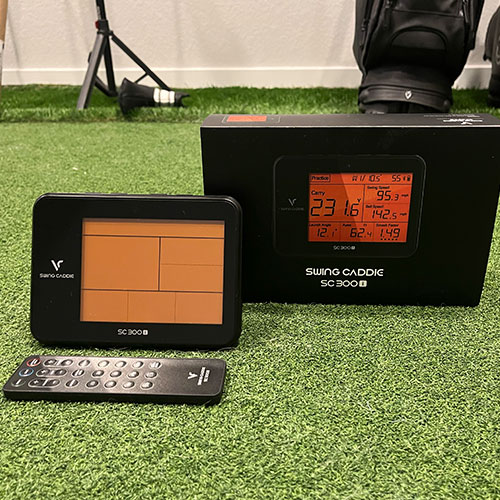
The unit comes in some nice packaging, more premium than its value positioning in the market place suggests.
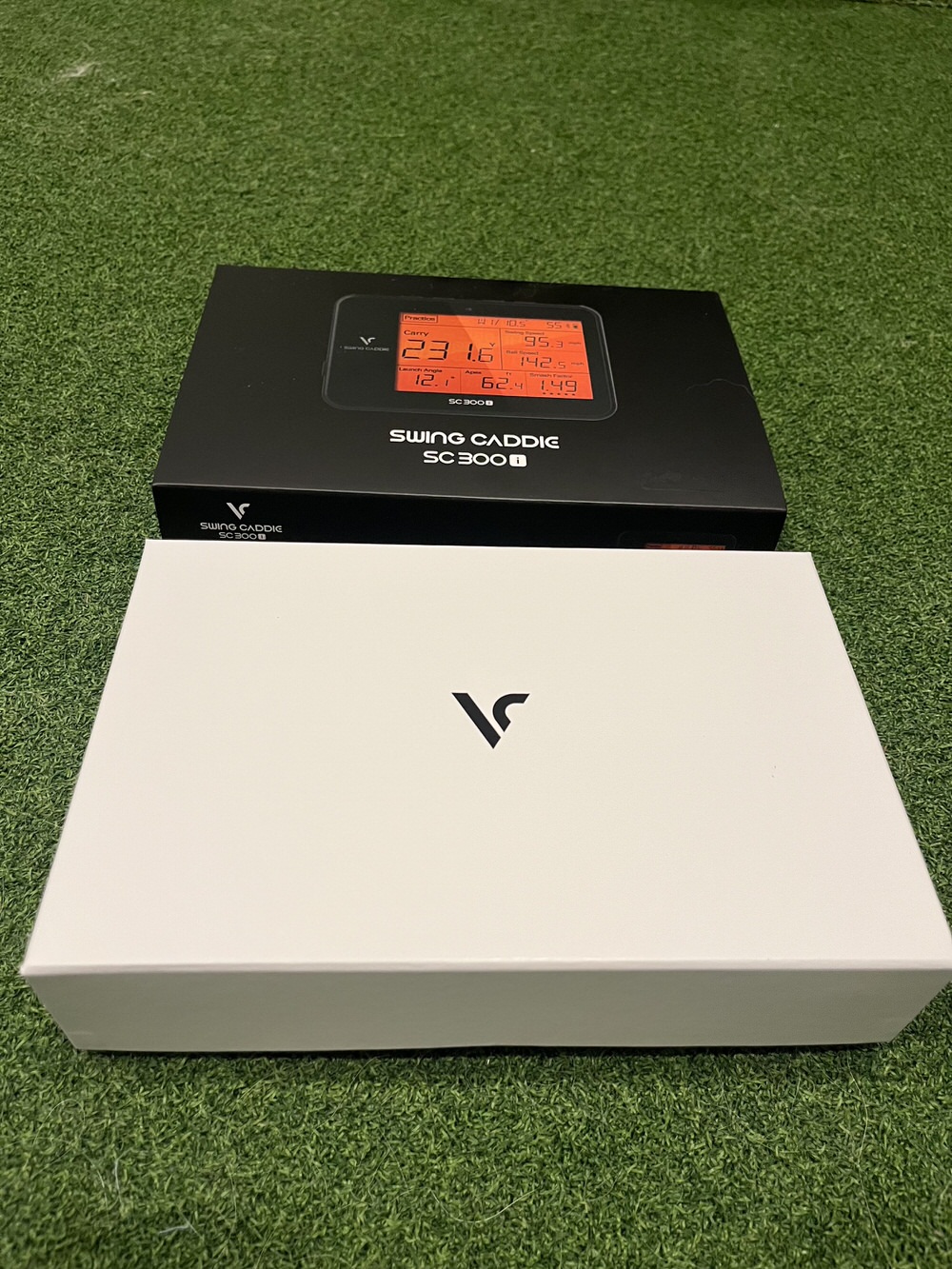
Inside you get the manual, launch monitor, a charging cable and a remote.
As previously mentioned, what you don’t get is a case (Booooo!).
I loosely tested its capabilities hitting into my screen. The best way I can describe it is, indoors, it gives you a reading that’s closer to how good the ball COULD fly vs what it probably actually flew.
This unit can’t really detect lateral movement or spin axis. So if you are a fairly heavy slicer or hooker of the golf ball, the device can’t detect those distance robbing spin and launch properties and it only has a few feet to make a calculation, and really its more of an assumption.
Example I would hit a drive that Skytrak+ would detect as my hook miss, and I knew it was accurate because I know what my hook miss feels like.
On Skytrak+ it would dive into the ground, robbing the ball of carry yardage. Since SC 300i doesnt know its hooking, it assumes Im hitting it fairly straight and its calculation of carry ends up being significantly longer than on Skytrak+
Note that these inaccuracies don't apply on a driving range because on a range it watches the actual full flight of the ball, instead of calculating the distance based on seeing just the first 8-10 feet of ball flight with no spin axis reference.
Now to me that’s not a big deal, because I don’t intend to use this for indoor ball flight measurement or simulation.
Is it better than nothing? Yes. But If indoor simulation is your primary use case, I strongly suggest you save up / spend the extra money to get a higher end unit.
As an example, the SC4 pro also from voice caddy would be way more suited to indoor simulation, and on black friday it was on sale for $480. Not a huge price gap for having full simulation capabilities.
On to testing the swing speed mode for speed training. I tested this first with a driver and no ball, and then a few test swings with my Rypstick.
So for straight speed training with no ball, this thing works great:
- It reads a little more consistently than my older radar.
- Its screen is bigger and lit better, so easier to read the number.
- It also speaks the number to me, a nice touch.
But it falls down in one crucial area.
When I’m doing baseline speeds and performance check ins of how fast I swing it, I do it while hitting a golf ball. Because that’s what matters as the end deliverable. What's my game speed hitting a golf ball?
The SC 300i is completely incapable of doing this measurement well. My guess is it has trouble distinguishing between the golf ball and the clubhead no matter what mode it’s in.
When it’s in the swing speed mode and you hit a golf ball, it shows a speed in the 160s. This is my ball speed.
When Im in practice mode. It’s showing my swing speed around 100-102 (indoors, outdoors it was a little closer, but still off).
Im typically game speed of 110-112, I also had my swing speed radar on the side reading my speeds simultaneously to verify. So SC 300i is grossly under reading my speed when it’s in practice mode with a golf ball.
So long story short, If I want to measure my clubhead speed accurately while hitting a golf ball, I have to continue to use my old device. Which is a bummer, I was hoping to sell it or give it to a friend, and also just consolidate my tech.
So very first use case I wanted it for and it didn’t fully pass my requirements.
On to tomorrow...
App setup prior to going to the range
Long story short it didn't happen. I was kinda in a rush to get moving, so I definitely have some responsibility here, but theres bad functionality and UX as well.
When you fire up the app you are asked to create an acct. There is a very prominent google logo, to promote using your google acct to login and create a MyVoiceCaddie account.
However when attempting to use google to login, I got an alert box message saying I need to go to the homepage to sign up for an account, and when you hit the “confirm” button you are redirected to the Voice Caddy website.
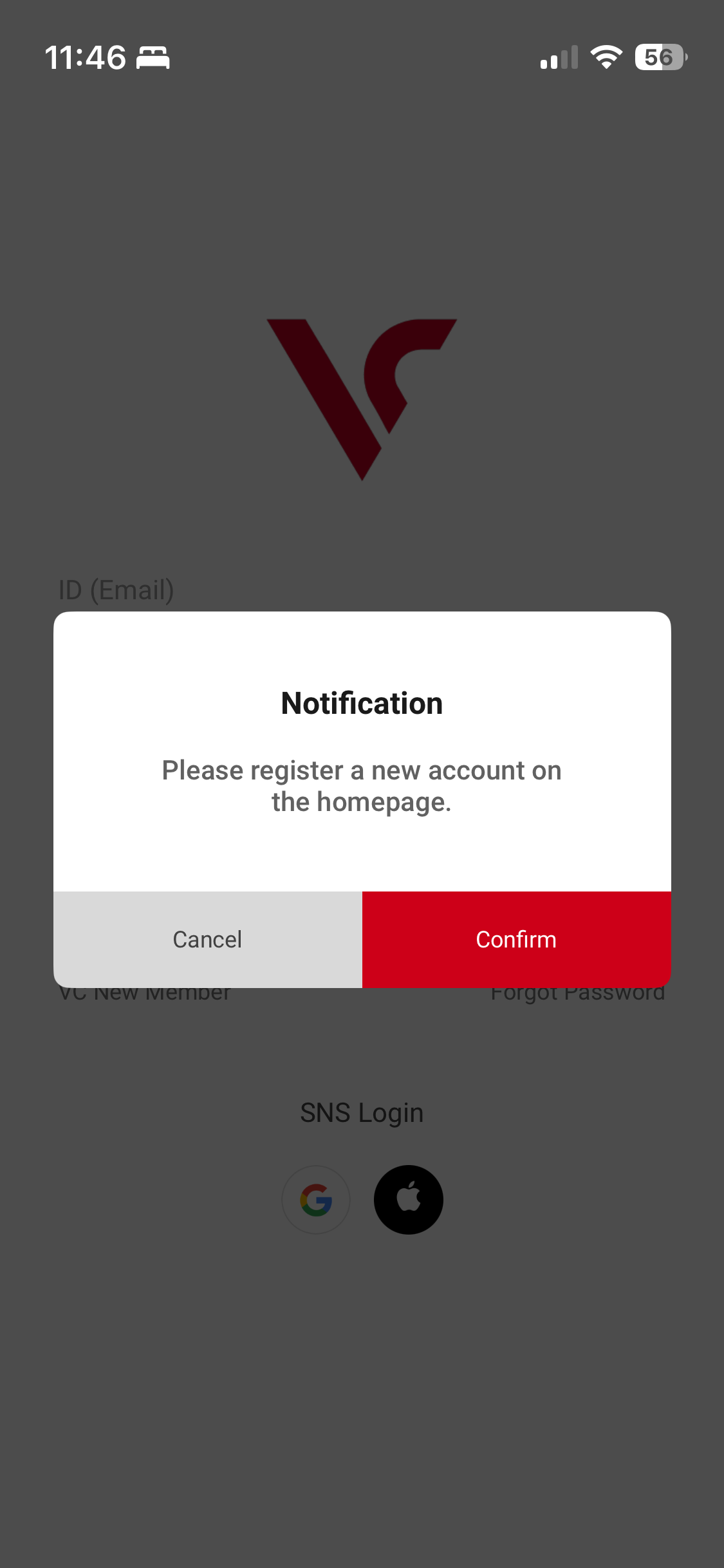
So naturally I would think to create an account there, as the app just sent me there.
So I signed up for an account, and I was suspicious that this wasn't the right process because i could tell that the site was creating an account based on shopify, an ecommerce platform, and it would be highly unusual for a companion app to use the ecommerce customer profiles.
But I did it anyway, and attempted to login again, got the same error message. I thought maybe the user profile ran on a sync process and needed some time to get in there. I didn't have time to wait so I just went off to my outdoor session knowing I wouldn't use the app.
After I was done about 2 hours later, I tried logging in again, same error. So I called customer service and while I was on the phone with them I noticed the tiny, almost invisible link that says "VC new member", and thats the proper place to sign up.
So I def missed it because I was in a rush, but also the google sign up/login doesn't work as user would expect and the warning message sends you to the wrong place. Pretty bad UX on the signup process, and now I have another unneeded account on the web.
At the range
So at this point, I’m a little perturbed that I couldn’t setup and connect the app. But it’s winter here in Colorado and we got a rare warm day, and I had a light afternoon with work. So future opportunities to come out to the range anytime soon are going to be rare. So I press on and head to the range to test.
So I get to the range and pull my device out to set it up and test.
One quick note, the unit has to be on the same level as the golf ball, so if you're hitting off mats, those are often elevated. In my case the mats are also on a curb above the path. So i had to finagle something I found as a base for the unit. Minor issue but a little ingenuity = problem solved and crisis averted.
So I hit my first few balls with it, I always warm up with my SW.
Beyond knowing my yardages, there are flags at set distances I can use as bench marks. I take a few swings, my warm ups are usually around a hundred yards with a SW.
The distance readings, to my surprise are incredibly accurate.
After my warmup I grab the Lob wedge, theres a flag at 87 yards. I flag hunt my first one dropping almost on top of the hole, reading is 87.8. I hit a few half shots and ¼ shots and all is reading well.
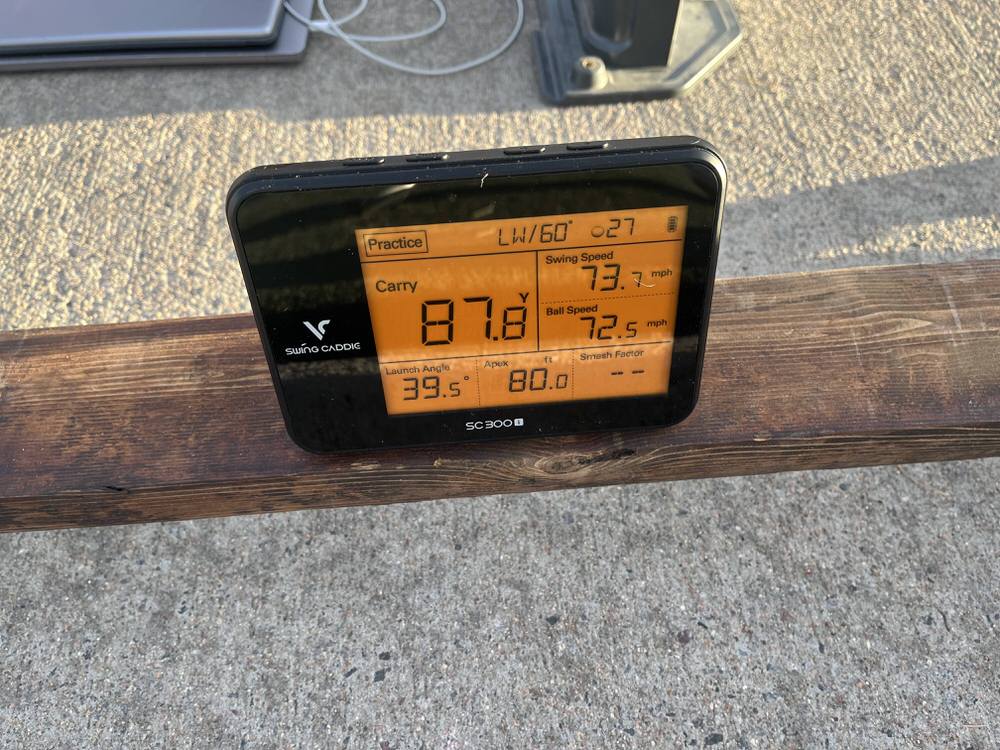
I then switch to my 8 iron same result, I also hit a few fat ones and toe shots. The distance drops accordingly with the quality of the strike/face interaction. A trait that was missing in my indoor testing, which is due to the device reading the whole flight of the ball.
I repeat the process with 6 iron same, accurate, results.
Then up to the big dawg. Ball speed looks accurate to my typical numbers, (low 160’s) and carry is close enough (remember I’m at altitude). Clubhead speed still measuring low, not as bad as indoors but def still low and accordingly the smash factor reading was high.
Basically every drive I hit was at the max efficiency or over. I know for sure based on trackman, skytrak and foresight launch monitor testing that I almost never get past 1.48 on Smash Factor, even on my most middled hits. But the SC 300i consistently showed me at 1.50 - 1.51.
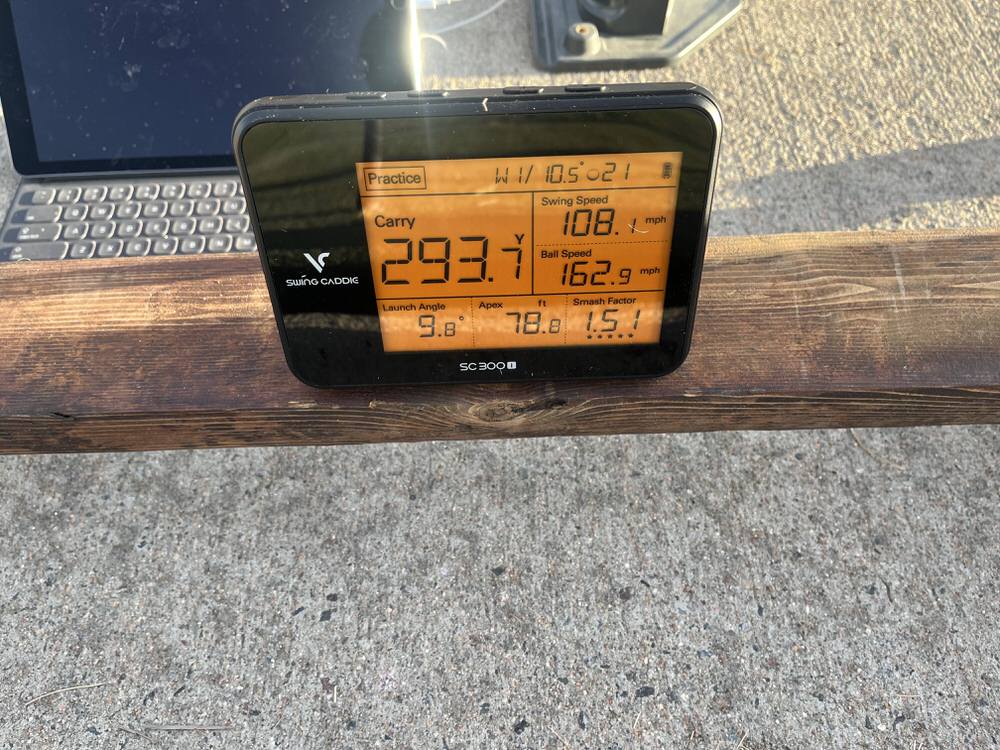
I cant speak to the exact accuracy on launch angle, but it certainly mirrored the ball flight enough to be useful.
So even with its measurement shortcomings, all in all for outdoor use, this thing checks all the boxes I need it to.
- I can use it for practicing wedge distances. ✅
- It adds some flair and flavor with a target mode to keep practice more interesting, interactive and less static. ✅
- The voice speaking would be embarrassing a little to me if people were around, but the range was empty so I found it to be a neat little feature and you can still turn it off. ✅
- Because it was so accurate, i have confidence it would help me tune my distances at lower altitudes when I travel ✅
- Its small enough to fit in my minimalist-ish golf bag. ✅
I wouldv’e loved to have tested the video with metrics overlay, and some of the app features but that will have to wait for another day.
So the key takeaways are.
Pros
- It’s outdoor measurement of distance is excellent, especially given the price.
- It’s clubhead speed measurement with no golf ball is excellent and accurate.
- Outdoors it does make the driving range more fun and engaging.
Cons
- It’s clubhead speed measurement while hitting a golf ball is inaccurate, and wildly so indoors. So not great for baselining in speed training, if you baseline your clubhead speed actually hitting a golf ball.
- It’s indoor measurement capability, though better than nothing, leaves a lot to be desired, and spending just a little more on SC400 pro or Garmin R10 , or going more premium will give you a much better experience.
Final Thoughts
It’s def not for everyone, or every situation (especially if you’re primary use case is indoors), and it’s not without its share of quirks.
But if you’re looking for an easy to use launch monitor to measure club distances out on the range with a few nice extras, then the Voice Caddy SC 300i just might be the right LM for you.
And at a black friday price of $220, it’s a really good value.
For my part, I think at least for now, that I’ll be hanging on to it.
I will say, I would've loved to have tested this against its smaller sibling the SC 200+. Because if it’s just as accurate as the SC 300i, I think I’d trade some of the features on the big brother, for the smaller form factor and portability.

Lorem ipsum dolor sit amet, consectetur adipiscing elit. Suspendisse varius enim in eros elementum tristique. Duis cursus, mi quis viverra ornare, eros dolor interdum nulla, ut commodo diam libero vitae erat. Aenean faucibus nibh et justo cursus id rutrum lorem imperdiet. Nunc ut sem vitae risus tristique posuere.